2026 Sales Review for Leadership
10 slides, Educator Modern theme

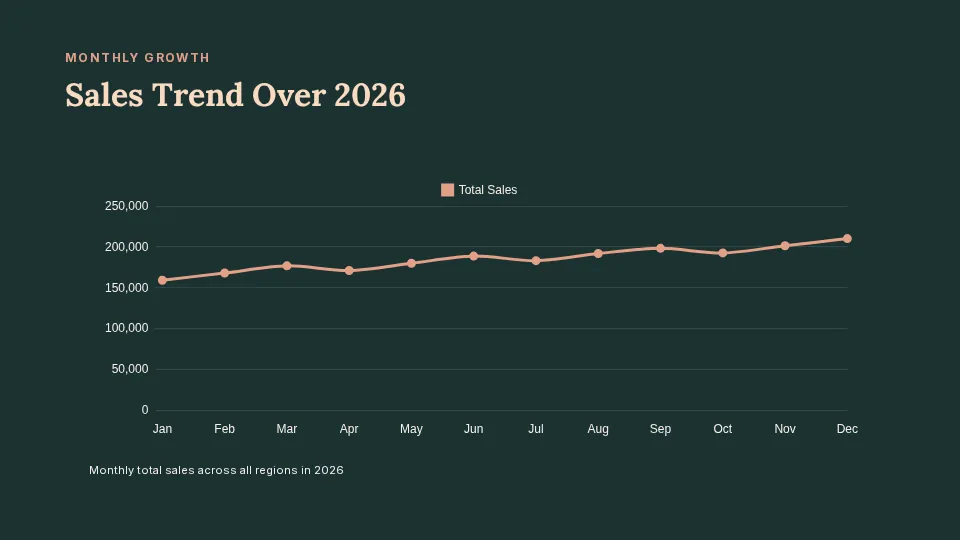
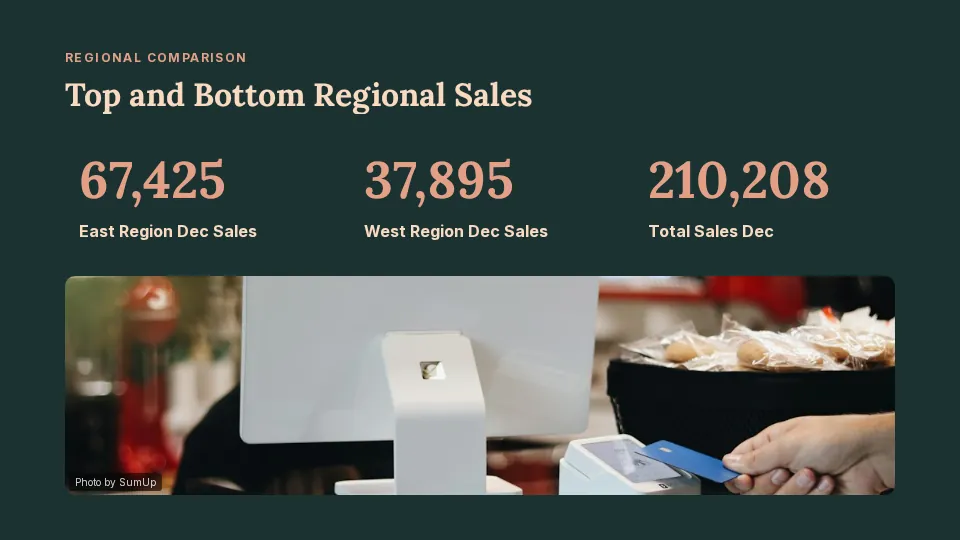
Prompt: A 2026 sales review for the leadership team from this spreadsheet: totals by region, the trend over the year, the strongest and weakest region, and next steps
 Create Slides
SlideMaker.app is a free personal learning and research project by Gourav Singla.
Upload an Excel (.xlsx, .xls) or CSV file and say what the deck is for. SlideMaker reads the first sheet and builds editable slides from your real numbers: charts, key figures and a short explanation of what changed and why it matters.
These are real decks, generated from the spreadsheet and the prompt shown under each one and not edited afterwards. Open a sample to see every slide.
Prompt: A 2026 sales review for the leadership team from this spreadsheet: totals by region, the trend over the year, the strongest and weakest region, and next steps

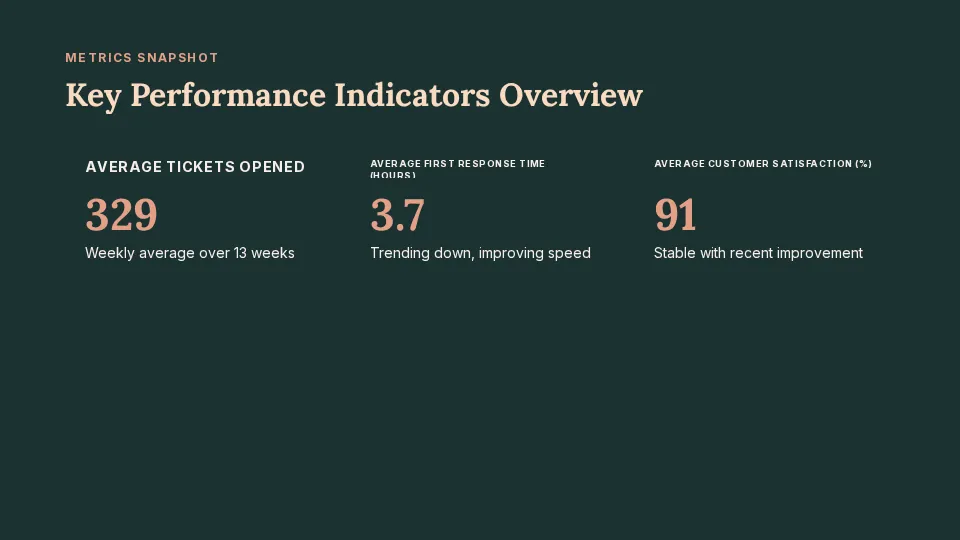
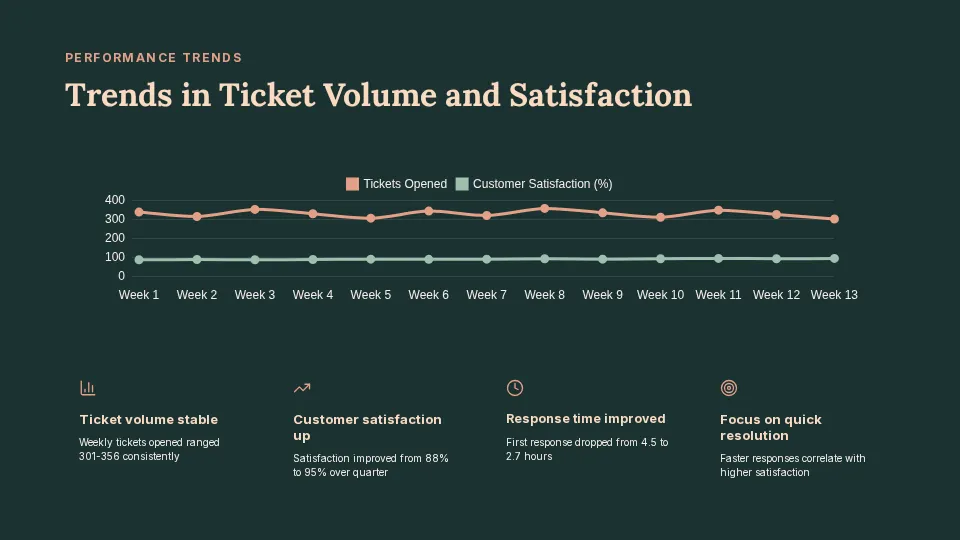
Prompt: Quarterly support metrics review from this spreadsheet: ticket volume, first response time, customer satisfaction trend and actions for next quarter
Columns of figures become charts on the slides, built from the values in your file rather than invented ones.
Totals, the biggest changes and the highest and lowest values appear as large numbers that are easy to read in a meeting.
Short slides explain what changed, what stands out and what to do next, in the order you asked for.
Upload .xlsx, .xls or .csv. The first sheet is used, so put the table you want to present on the first sheet.
To pick the right chart for a set of numbers, see Microsoft's guide to charts and graphs in a presentation.
Sign in for free, open the create box, choose Data / Excel and upload your .xlsx, .xls or .csv file. Say what the deck is for and SlideMaker drafts slides with charts and key numbers from the first sheet.
Yes. The rows from your file are sent with the request as the facts the slides must use, so charts and key figures come from your spreadsheet. Always check the figures before you present.
The first sheet of the workbook, up to its first 30 rows. Put the summary table you want to present on the first sheet.
Yes. CSV, .xlsx and .xls files all work.
Yes. SlideMaker is free to use. Uploading a spreadsheet needs a free account.
SlideMaker.app is a free personal learning and research project by Gourav Singla.
Describe the deck and edit the slides it drafts. Free to use.
Upload Excel or CSV