
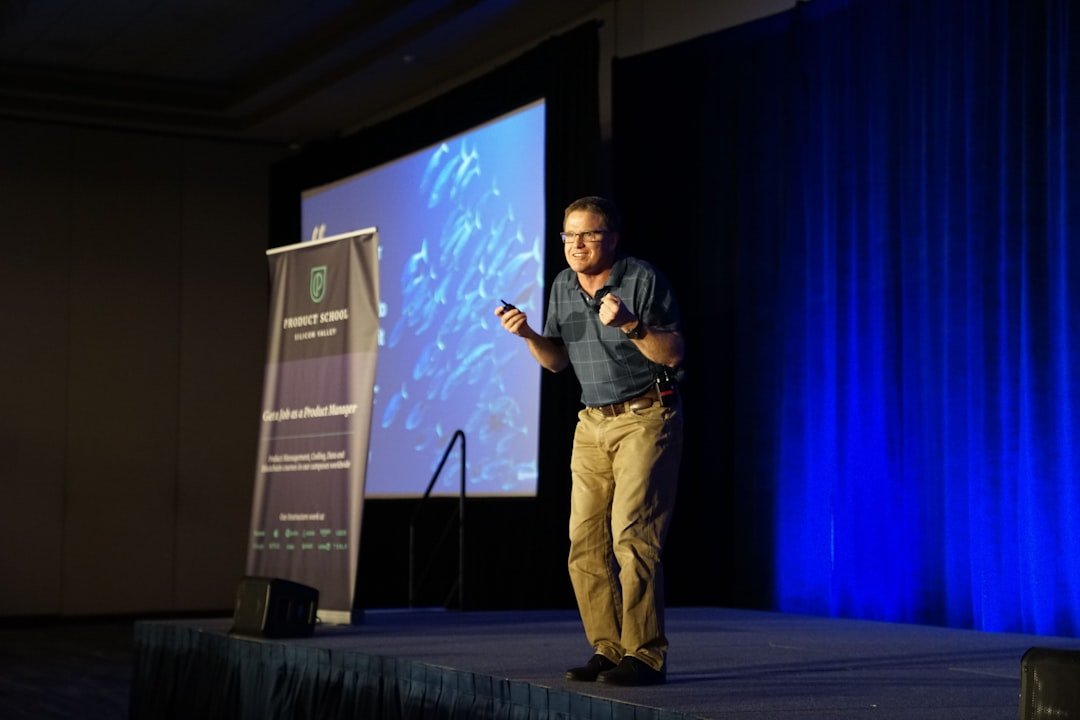
Most “keynote presentation maker” searches are not looking for Apple’s Keynote app. They’re looking for something that can produce a polished keynote-style deck — the kind a CEO uses to open a conference, a founder uses at Demo Day, or a department head uses for an all-hands — without spending three hours nudging shapes around.
That distinction matters because the tools built for keynote-style presentations are different from the tools built for internal status decks. Keynote talks lean on bold single-statement slides, high-contrast visuals, and rhythm between sections. Internal decks lean on bullet density. Picking the wrong tool produces the wrong deck.
This guide breaks down what actually defines a keynote-style presentation, where the tools differ, and how an AI keynote presentation maker fits — including a side-by-side of what to expect from the free version versus the paid features when speed matters more than perfection.
What “Keynote-Style” Actually Means on a Slide
A keynote-style deck does three things that a regular slide deck usually does not:
- One idea per slide, sized for the back row. Headline-only slides with a single number or sentence in 60pt+ type. The audience reads the slide in two seconds and looks back at the speaker.
- Sectional pacing, not flat lists. A keynote moves through 3-5 acts (problem, evidence, turn, payoff). The deck design supports that with section dividers, not 30 sequential bullet slides.
- Visuals that carry the meaning, not decorate it. A chart that proves the point. A photo that frames the story. A single icon that maps to the concept. No stock photos of handshakes.
A keynote presentation maker is judged on whether it produces a deck that respects these three rules — not on how many templates it has.
The Three Categories of Keynote Presentation Makers
When evaluating any tool that promises to make keynote-style slides, sort it into one of three buckets first:
1. Manual Design Apps
Apple Keynote, PowerPoint, Google Slides. Total control, full template libraries, manual placement of every element. The right pick when there’s design time, a brand system to follow, and a rehearsed talk where every slide needs to be exact.
The cost is time. A polished 20-slide keynote in PowerPoint usually takes 4-8 hours from blank deck to ready-to-rehearse — and that’s for someone fluent in the app.
2. Template-First Builders
Canva, Beautiful.ai, Pitch. Pre-designed slides with drag-and-drop replacement. Faster than manual design apps, but the design system is theirs, not the brand’s. The output usually feels like a Canva deck — which is fine for many uses, less fine for a flagship keynote.
These tools shine when the brand doesn’t matter as much as the speed of producing a clean-looking deck. They struggle when the talk needs a specific narrative structure, because templates are organized by visual type, not by argument shape.
3. AI-First Generators
This category — including SlideMaker — takes a topic, outline, or document and generates the full deck end-to-end. The fit for keynote-style work depends on whether the tool can hold the keynote pacing (one idea per slide, sectional dividers, visual focus) instead of defaulting to bullet-heavy templates.
The fastest path for most keynote prep looks like: AI generator for the first draft in under a minute, then 30-60 minutes of editing for the specific numbers, brand colors, and rehearsal-driven slide cuts.
What to Look for in an AI Keynote Presentation Maker
Not every AI slide generator produces keynote-shaped output. Five things to check before committing to one for a flagship talk:
- Section divider slides. A keynote without dividers reads like a wall of content. The tool should generate clear “Act 1 / Act 2” style breaks, not just one title slide and 20 content slides.
- One-statement slide layouts. The output should include slides with just a sentence or a number in large type, not just title-plus-bullets layouts.
- Editability of every element. AI generators that lock layouts force a re-export to PowerPoint to fix anything. The good ones let any text block, image, or chart be edited directly.
- PowerPoint and PDF export. A keynote is rarely delivered from the generator’s own viewer. Native PPTX export means the speaker can drop the deck into the conference’s AV system without surprises.
- Topic-to-deck speed under a minute. If the first generation takes 5+ minutes, it breaks the iterative flow of trying three different angles on the same talk before committing.
A tool that hits all five removes the “blank deck” problem entirely. The remaining work is editing for the speaker’s voice and the specific event, not building from zero.
The Keynote Deck Structure Worth Borrowing
Regardless of which tool produces the first draft, the structure that works for most keynote-style talks looks like this:
Slide 1 — Title (speaker name, talk name, one image)
Slide 2 — The Hook (one sentence, large type — no bullets)
Slide 3 — The Stakes (why this matters, in one number or one image)

— Section 1 Divider —
Slides 4-7 — The Problem
  - Slide 4: the surface problem (everyone knows)
  - Slide 5: the deeper problem (less obvious)
  - Slide 6: the cost of the deeper problem (specific)
  - Slide 7: the question the talk will answer

— Section 2 Divider —
Slides 8-12 — The Evidence
  - One slide per piece of evidence
  - Each slide: one chart, one quote, or one image
  - No slide has more than 12 words

— Section 3 Divider —
Slides 13-16 — The Turn
  - The pattern across the evidence
  - The counterintuitive insight
  - The framework or model

— Section 4 Divider —
Slides 17-19 — The Payoff
  - What changes if the audience acts
  - The one thing to remember
  - The call to action

Slide 20 — Thank You (speaker handle, one way to reach them)
This 20-slide structure runs about 18-22 minutes at conference pace and fits most keynote slots cleanly. The section dividers are non-negotiable — they’re what keeps the audience oriented across the talk.
Producing the First Draft in Under a Minute
The fastest workflow from “I need to give this keynote” to a first draft worth editing:
- Write a single paragraph describing the talk — the audience, the core argument, the three main beats.
- Paste it into SlideMaker’s free AI presentation maker and select a clean, high-contrast theme.
- Wait about 30 seconds for the deck to generate.
- Spend the next 30 minutes editing — replacing generic statistics with the speaker’s actual numbers, swapping placeholder images for brand assets, and cutting the slides that don’t earn their place.
The same approach works for outline-to-slides conversion when the talk has already been outlined in a doc or notes app. The outline structure carries through, which is especially useful for keynote pacing where the section breaks matter.
For talks that lean heavily on a specific theme — leadership offsites, product launches, competitive positioning — starting from a pre-structured template like the competitive landscape keynote saves the structural decision. The template already enforces section dividers and statement-style slides, so the AI generation fills in the specifics rather than inventing the structure.
Where AI Keynote Generators Still Need a Human
Three places where the first AI draft almost always needs human editing:
- The opening hook. Generators tend to write polite intros (“Today I’ll be discussing…”). A real keynote opens with a story, a contrarian claim, or a question — and that has to come from the speaker.
- The data slides. Generated charts often use placeholder data or generic industry stats. The credibility of a keynote depends on the speaker’s own numbers, not aggregated ones.
- The closing ask. AI outputs usually end with “Thank you” or “Questions?” — neither of which is the right close for a talk meant to drive action. The closing slide should name the one decision, behavior, or follow-up the audience should take.
These are 10-minute edits, not 4-hour rewrites. The point of the AI generator is to eliminate the structural setup so the human time goes to the parts that actually require taste.
Quick Comparison: Free vs. Paid Keynote Tools
| Tool Type | Free Tier | Time to First Draft | Best For |
|---|---|---|---|
| Apple Keynote | Free on Mac | 4-8 hours | Mac-only speakers, high design control |
| PowerPoint | Paid (M365) | 4-8 hours | Cross-platform, AV compatibility |
| Canva | Free + paid | 1-2 hours | Template-led, visual-first speakers |
| Pitch | Free + paid | 1-2 hours | Startup pitch decks, collaboration |
| SlideMaker (AI) | Free, no signup | 30-60 seconds | Topic-to-deck draft, then human editing |
For most flagship keynotes, the realistic path is: AI generator for the structural draft, then 30-60 minutes in PowerPoint or Keynote for brand polish and rehearsal-driven cuts. Skipping the AI step doesn’t save time — it just moves the four hours from editing to building from blank.
One Final Test for Any Keynote Deck
After the deck is built, regardless of tool, run one test before rehearsal: flip through it in presenter mode at twice normal speed. If the slides still read clearly at 2x — meaning each slide makes its point in under two seconds — the deck is keynote-ready. If most slides require pausing to absorb, the design is too dense for stage delivery and needs another pass of cuts.
The tool matters less than the test.