
As a professional, the integrity of your business presentation is determined by the accuracy and clarity of your data display. Even the most attractive presentation template can be useless if the data it presents is inaccurate and confusing. So, a good balance between visual appeal and correct data representation is necessary. Thankfully, converting enterprise reports to slides is no longer as daunting as before.

Teams can now create clear, accurate, and executive-ready presentations from enterprise reports by using the right business presentation tools. There are traditional options like using Microsoft PowerPoint, but more recently, we have the easier option of using AI presentation tools such as Slidemaker. This guide explains how to handle tables, charts, and figures efficiently, particularly when converting data-heavy reports to slides using an AI tool for enterprise presentations.
Why Convert Enterprise Reports into Slides?
Every day, enterprise teams handle enormous amounts of data. Tables, charts, KPIs, and indicators that are important to decision-makers are abundant in quarterly reports, financial statements, dashboards, and analytics summaries. However, these documents are usually too dense for stakeholder presentations. Hence, turning them into presentation slides that people actually understand is challenging.
This involves highlighting key metrics and visual summaries so audiences are not overwhelmed by data. After all, effective business presentations break down complex data into bullet points and charts that tell a clear story. Instead of ten slides with raw tables, executives want highlights, trends, and consequences.
That’s why conversion of enterprise reports to slides requires more than formatting. It demands restructuring information into insights, narratives, and visuals that support stakeholder decisions. Data-driven teams can speed up this process using an AI tool for enterprise presentations.
Using AI to Convert Enterprise Reports into Slides

Traditional software like PowerPoint requires manual formatting and design work. However, innovative business presentation tools can automate layout, style, and visuals in minutes using AI. slidemaker.app/ is one such tool.
These AI-powered business presentation tools can:
- Parse long reports and dashboards
- Identify key KPIs and metrics
- Simplify tables and charts
- Generate structured slide outlines
- Maintain consistency across decks
This makes it much easier to convert data-heavy reports to slides without losing accuracy or context. That’s why many teams now rely on an AI tool for enterprise presentations.
To convert data-heavy reports to slides, you should:
- Identify Key Points. Read the report and highlight important data (KPIs and trends). Focus on metrics and results from financial statements or dashboards.
- Outline a Narrative. Choose the narrative or point of your presentation. To establish a clear flow, logically group important elements (such as growth, difficulties, and next actions).
- Choose visuals. Turn tables and raw numbers into charts or graphs. Use line charts for trends over time or pie charts for breakdowns. Visuals make complex data digestible.
- Use AI Assistance. Paste your outline or report text into an AI tool for enterprise presentations. The AI will auto-generate slide layouts with headings, bullet summaries, and charts based on your content.
- Edit and review. Edit the AI-generated slides to ensure clarity. Check labels and legends, adjust phrasing, and add any additional context. The AI does the heavy lifting, but you’ll ensure every slide fits your audience.
Tables, Charts, and Numbers in Enterprise Reports
When teams try to convert enterprise reports into slides, three issues usually show up:
First, the tables are too large. Excel-style tables with dozens of rows don’t fit slides and overwhelm audiences.
Second, charts are overdesigned. Reports often include dense charts meant for analysts, not executives.
Third, numbers lack context. KPIs and metrics don’t show business impact or trends or provide an explanation.
Modern business presentation tools, particularly those with AI capabilities, excel at solving these issues.
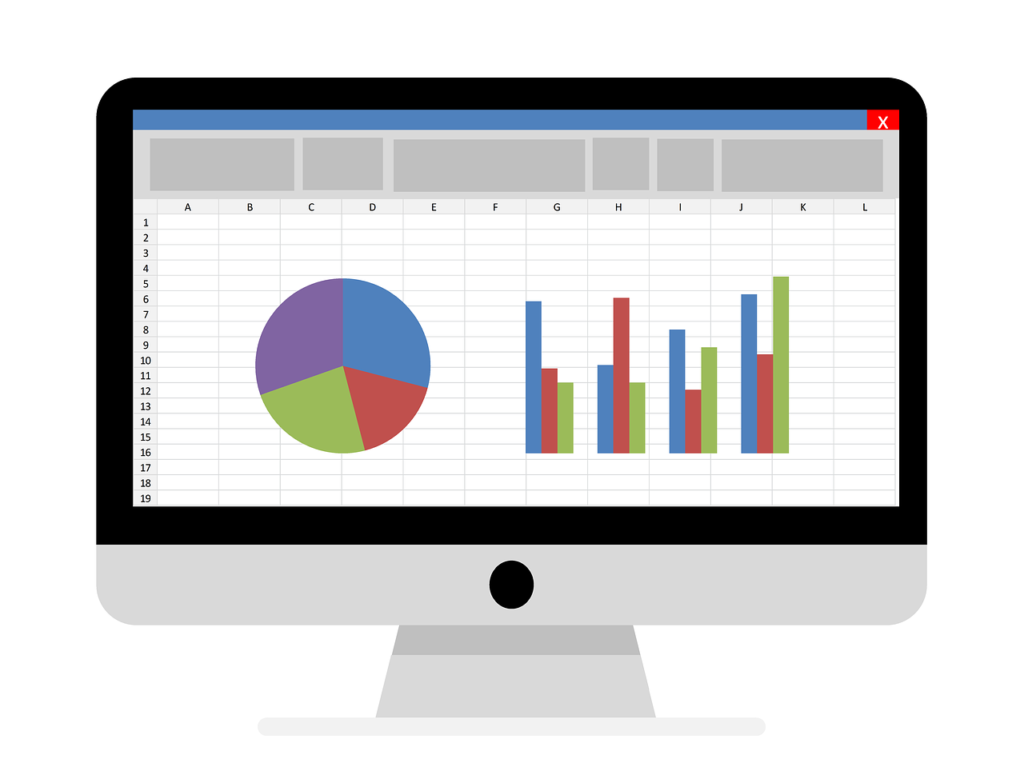
- How to Think About Tables in Slides
Tables are useful, but only when simplified. In presentations, tables should support a point, not replace it.
When converting enterprise reports to slides, reduce tables to the minimum required rows and columns. Highlight only the most important figures, such as quarterly totals, year-over-year changes, or top-performing segments.
Better still, replace tables with infographics. Make infographics that properly convey the relevant numbers instead of packing tables with data. Ensure the graphics don’t have too many numbers, and choose pictures with corresponding numbers.
Slidemaker and other AI presentation tools can automatically pull important rows from data-heavy reports and transform them into succinct infographics that are suitable for slides.
- Turning Charts into Executive-Friendly Visuals
Charts are often the most powerful part of a presentation when done right. Enterprise reports frequently include dashboards with multiple metrics layered into one chart. These work well for analysts but confuse executives.
When you convert enterprise reports into slides, aim for one message per chart. Focus on trends, comparisons, or outliers. Avoid superfluous data points, labels, and gridlines.
Instead of using 3D diagrams, use 2D ones. For presentations with a lot of numbers, 3D charts are not very useful, even though they are aesthetically pleasing and an excellent way to draw in the audience. On the other hand, 2D diagrams provide better visual knowledge and have a lower chance of misrepresenting the conditions.
Charts with the most relevant visuals for stakeholders can be chosen, formatted, and edited automatically using an AI tool for business presentations.
- Making Numbers Tell a Story
Of course, there’s no business presentation without numbers. But numbers alone don’t persuade people. Context does. Put numbers and comparative values in perspective at all times. For instance, display growth trends, link them to market conditions, and relate them to future strategy rather than revenue figures. Relying on both data storytelling and the verbal lecture is crucial to achieving this.
Always consider whether the numbers provided support your argument. Sometimes it makes more sense to omit some numbers if they are not relevant to your presentation topic.
To make numbers easier for the audience to understand, round them up or down if possible. Additionally, rounding numbers makes them easier to understand.
AI presentation tools can summarize numerical elements of corporate reports and turn them into executive summaries that emphasize ideas rather than raw facts when used in presentation processes.
Best Practices When Converting Enterprise Reports to Slides

Use these best practices to get the most out of AI presentation tools:
- Establish your audience first. Presentations that are operational or technical should not be the same as executive slides.
- Give insights more weight than data volume. Pay attention to the information that decision-makers require.
- Standardize templates. Stakeholders can scan information more quickly when layouts are consistent.
- Check the accuracy of slides produced by AI. While AI speeds up the process, a final review guarantees confidence, particularly when it comes to financial and compliance-related data.
Enterprises move fast, and decisions rely on clear communication. By adopting workflows that convert enterprise reports into slides, teams improve alignment, speed up meetings, and communicate strategy more effectively.
FAQs
- What does converting enterprise reports to slides mean?
Converting enterprise reports to slides is the process of turning intricate business, financial, or analytics reports into understandable presentation slides appropriate for executives and stakeholders.
- How do I convert data-heavy reports to slides effectively without losing context?
Focus on storytelling. Determine which data items in each table are most crucial. Select the most appropriate visual representation of that data, such as a graph, chart, or icon. The insight should then be explained using a succinct headline or bullet.
- What business presentation tools work best for data-heavy reports?
AI presentation tools can assist in turning data-rich reports into slides so that teams can examine and improve the final product. The best ones blend flexibility with automation.
- Is there a free AI tool for enterprise presentations that I can use?
Most definitely. Slidemaker is a 100% free web-based AI tool designed to generate slides from your material. There is no need to sign up. Simply enter your data or report, choose a theme, and Slidemaker will utilize AI to format slides, add visual charts, and design components.
- Is Slidemaker suitable for enterprise use?
Indeed. Slidemaker helps organizations create excellent, organized PowerPoint slides from report material in a matter of seconds, supporting business workflows. It can process various file formats, including PDFs, DOCX, and TXT.