
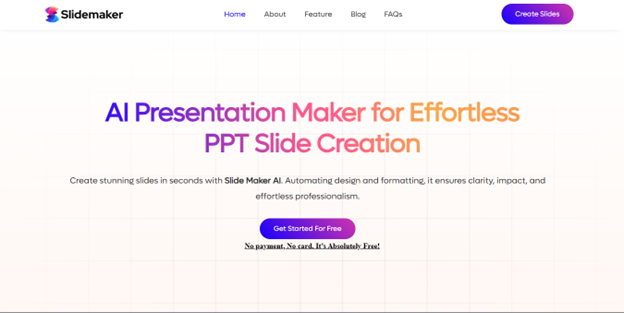
Teaching has changed more in the last five years than in the previous two decades. With digital learning tools becoming indispensable, teachers now spend 30–40% of their weekly prep time creating lesson slides, worksheets, and visual aids. A 2024 EdTech Adoption report shows 71% of teachers say presentation creation is one of their most time-consuming tasks. But this workload is now a lot lighter with the advent of free AI presentation maker online. Teachers and educational institutions can cut down on the time spent in creating presentations.
AI presentation makers help educators transform raw lesson notes into clean, visually friendly slides in minutes. You might be wondering what is the best ai presentation maker? We will recommend Slidemaker and you will know the reasons as you read through. Slidemaker is one of the most reliable AI presentation makers for teachers, lecturers, and educational institutions.
Why is Slidemaker the Great Free AI Presentation Maker Online for Teachers
Slidemaker solves real classroom problems: limited time, inconsistent designs, and the need for clear, structured content. Here are some of the ways it helps teachers and educational institutions:
1. Generates classroom-ready slides automatically, ensuring teachers save time on slide creation and can focus on delivering the lesson effectively.
2. Slidemaker generates presentations that sound natural and student-friendly. It doesn’t overcomplicate explanations. Instead, it provides clear definitions, real-world examples, and age-appropriate language.
3. Offers 100% editable PowerPoint slides, allowing teachers to change fonts, colors, themes, add logos, rearrange slides, and incorporate diagrams and charts seamlessly. This makes it ideal for schools using Microsoft PowerPoint, Google Slides, or LMS platforms. Slidemaker also exports fully editable .PPTX files, so teachers can make further adjustments.
Fun fact: Surveys show that teachers save 1–3 hours per lesson, create content 40%–60% faster, and spend 50% less time formatting slides when using AI presentation makers.
4. Provides background images and design suggestions that align with uploaded content. It also offers cues educators can adopt to ensure their design matches the theme of the lesson.
5. Suitable for Institutional Use; institutions benefit from consistent slide formatting across departments, faster lesson delivery, higher student engagement, reduced teacher burnout and better communication materials.
Challenges AI Slide Makers Pose to Teachers and Institutions
Some teachers initially find AI presentation makers, like Slidemaker, difficult to use. When educators struggle to navigate online slide-generating tools, they may become frustrated and return to traditional PowerPoint methods.
To solve this, we created a complete guide on how to use Slidemaker, which you can access here. We also provide helpful resources such as:
- How to create charts for presentations
- How to change presentation backgrounds
- How to change bullet point styles
More tutorials are available in the Slidemaker blog section.
Why Teachers and Institutions Now Rely on Free AI Presentation Maker Tool
Saves Time
Time is one of the biggest challenges in education. Between lesson planning, grading, meetings, and classroom management, teachers have very little time left for designing slides. AI changes this completely. Tasks that once took hours can now be completed in minutes.
Support visual Learners
Beyond saving time, AI supports today’s highly visual learners. Students understand better when lessons include clear diagrams, real-world examples, and organized layouts. AI-generated presentations naturally provide this structure, making complex topics easier to grasp.
Adaptability
Another major advantage is adaptability. Not all students learn at the same pace, and AI makes it easier for teachers to modify content. A single topic can be instantly turned into simpler slides for students who need extra support, or expanded into detailed slides for advanced learners. This enhances inclusivity and differentiation across the classroom.
Conclusion
AI isn’t replacing teachers, it’s supporting them. With free ai presentation maker online tools like Slidemaker, educators can focus more on teaching and less on formatting slides. For teachers and institutions seeking speed, clarity, and professionalism, Slidemaker is one of the best AI presentation maker in 2025.
Frequently Asked Questions
Q: What is the best AI presentation maker for teachers?
Ans: Many use to ask what is best free ai presentation maker 2025? Slidemaker is one of the most reliable AI presentation makers for teachers because it generates accurate, student-friendly, fully editable slides.
Q: Can AI create school lesson slides automatically?
Ans: Yes. Tools like Slidemaker can turn a topic, outline, or document into a complete slide deck within seconds.
Q: Do AI slide generators produce editable PowerPoint files?
Ans: Yes. Slidemaker exports fully editable .PPTX files compatible with PowerPoint, Google Slides, and Keynote.
Q: Does Slidemaker work for universities?
Ans: Yes. It is widely used by lecturers, module leaders, curriculum teams, and academic departments.
Q: Is Slidemaker safe for classroom use?
Ans: Yes. It generates clean, age-appropriate, curriculum-aligned content suitable for all educational levels.
Q: How many slides can Slidemaker generate?
Ans: It normally generates 10 slides automatically, but you can add more if needed.
Q: Will Slidemaker enhance teachers’ work?
Ans: Yes. Slidemaker is designed to improve teacher productivity by speeding up slide creation, allowing educators to focus on actual teaching.